Most of what professional subtitlers follow is written down in public. The three style guides people quote most are the BBC Subtitle Guidelines (version 1.2.5, March 2026), Netflix's English (USA) Timed Text Style Guide (with its general requirements and timing guidelines) and TED's subtitling tips for its volunteer translators. I checked every number below against those pages in October 2026. They agree more than they disagree.
The numbers side by side
| BBC | Netflix (English) | TED | |
|---|---|---|---|
| Line length | 37 characters on broadcast Teletext; online, 68% of the width of a 16:9 frame | 42 characters per line | Break into two lines once a subtitle passes 42 characters |
| Lines per subtitle | 2 on landscape and square video, 3 on vertical | 2 maximum | Never more than 2 |
| Reading speed | 160–180 words per minute (0.33–0.375 s per word) | Up to 20 characters per second for adults, 17 for children's shows | Maximum 21 characters per second |
| Minimum duration | About 0.3 s per word (1.2 s for four words) | 5/6 of a second (20 frames at 24 fps) | Not stated |
| Maximum duration | No fixed number | 7 seconds | Not stated |
| Gaps | If you leave a gap, at least 1 s, preferably 1.5 s | At least 2 frames; close gaps of 3–11 frames (24 fps) to 2 frames | Not stated |
If you want one set of numbers to follow, take Netflix's. It's all in characters, seconds and frames, so it's the easiest to check.
Characters per line for subtitles
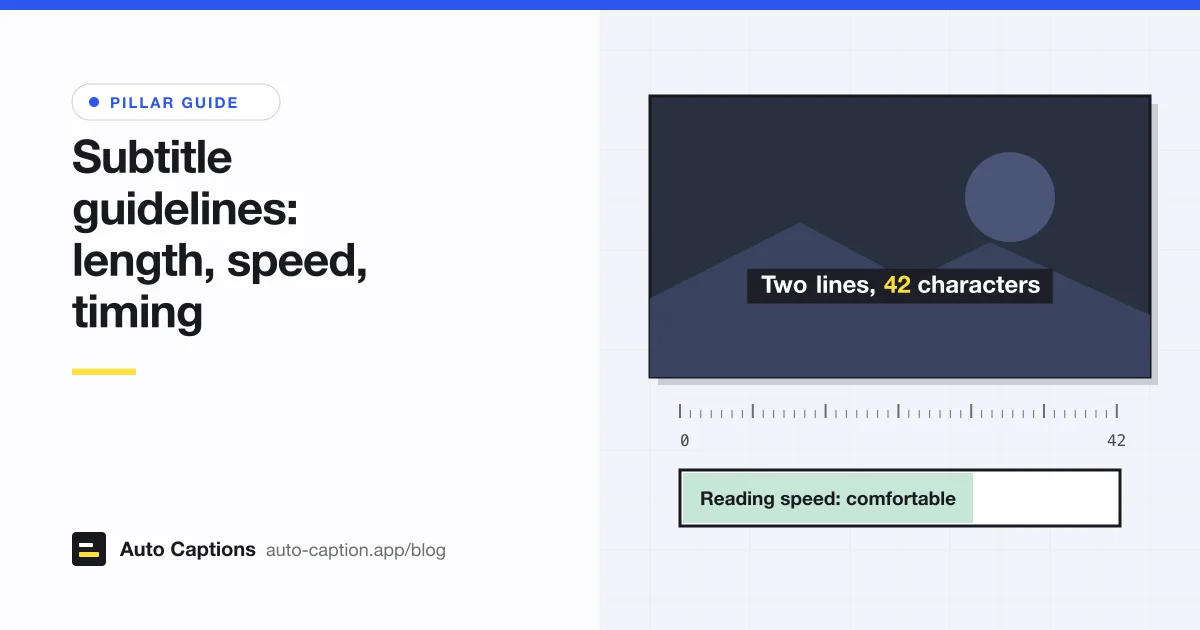
Forty-two characters per line is the closest thing to an industry standard. Netflix uses it for English, and TED uses it as the point where one line becomes two. The BBC's 37 comes from Teletext, which has 40 fixed-width slots per row and spends at least 3 on control codes.
The BBC adds a point the other two skip: in a proportional font, character counts only approximate width ("lilly" is narrower than "mummy"). So online, the BBC sets a width instead: 68% of a 16:9 frame, 90% for square and vertical video. That's the rule to use when you burn captions in yourself, because your font and size decide how many characters fit.
One line or two? The BBC notes that "long and thin" subtitles usually hide less of the picture than "short and fat" ones, and says to look at the image before deciding.
Subtitle reading speed
Netflix and TED measure it in characters per second (CPS); the BBC measures it in words per minute. Take this subtitle: "She said she would call the office before the end of the week." It has 62 characters and 13 words.
- At Netflix's 20 CPS, it needs at least 3.1 seconds on screen.
- At TED's 21 CPS, about 3 seconds.
- At the BBC's 0.3 seconds per word, about 3.9 seconds.
If the speaker gets through it in 2.5 seconds, you have two options. Let the subtitle run into the pause that follows, or edit the text down ("She'll call the office by Friday"). TED says to compress anything over 21 CPS while keeping as much meaning as you can. The BBC leans the other way: viewers tend to prefer verbatim subtitles, so the rate may follow the pace of the show, and for news it expects some editing only once speech goes above 160 to 180 words per minute.
Auto captions generally don't edit for speed (ours don't), so a fast talker can push a line past 20 CPS. When you review them, check the dense lines that are on screen for under two seconds first.
How long a subtitle should stay on screen
Netflix's floor is five-sixths of a second, which is 20 frames at 24 fps. Its ceiling is 7 seconds. The BBC explains why long subtitles are a problem: a subtitle should leave roughly when the speech ends, because text left on screen too long gets read a second time.
The BBC works from about 0.3 seconds per word and asks for more time for long figures like 12,353, for subtitles that cross a shot change, and for other hard-to-read moments.
Gaps between subtitles
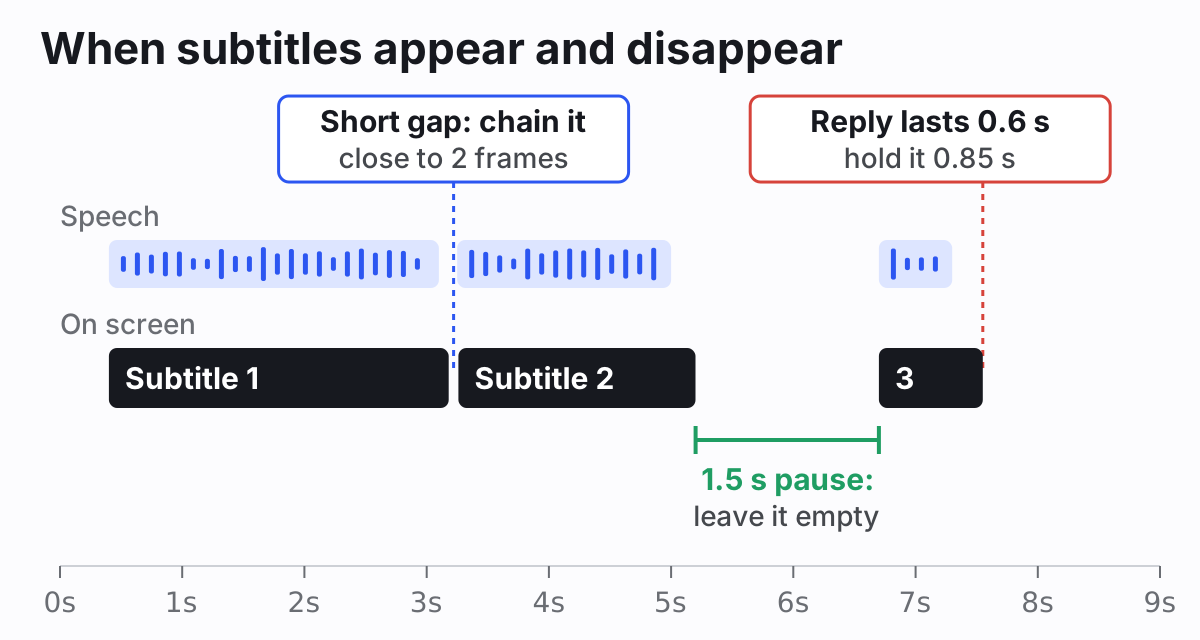
The two broadcasters seem to disagree here, but they describe the same idea. Netflix requires at least 2 frames between subtitles at any frame rate. If the gap would be 3 to 11 frames (under half a second at 24 fps), it gets closed down to 2 frames, which Netflix calls chaining. The BBC's rule is about the gaps you do keep: if you leave the screen empty during a pause, make it at least one second, preferably a second and a half, because shorter blanks look jerky.
So a gap is either almost nothing or a clear pause. A quarter-second blink between two lines is the one to avoid.
Where to break lines
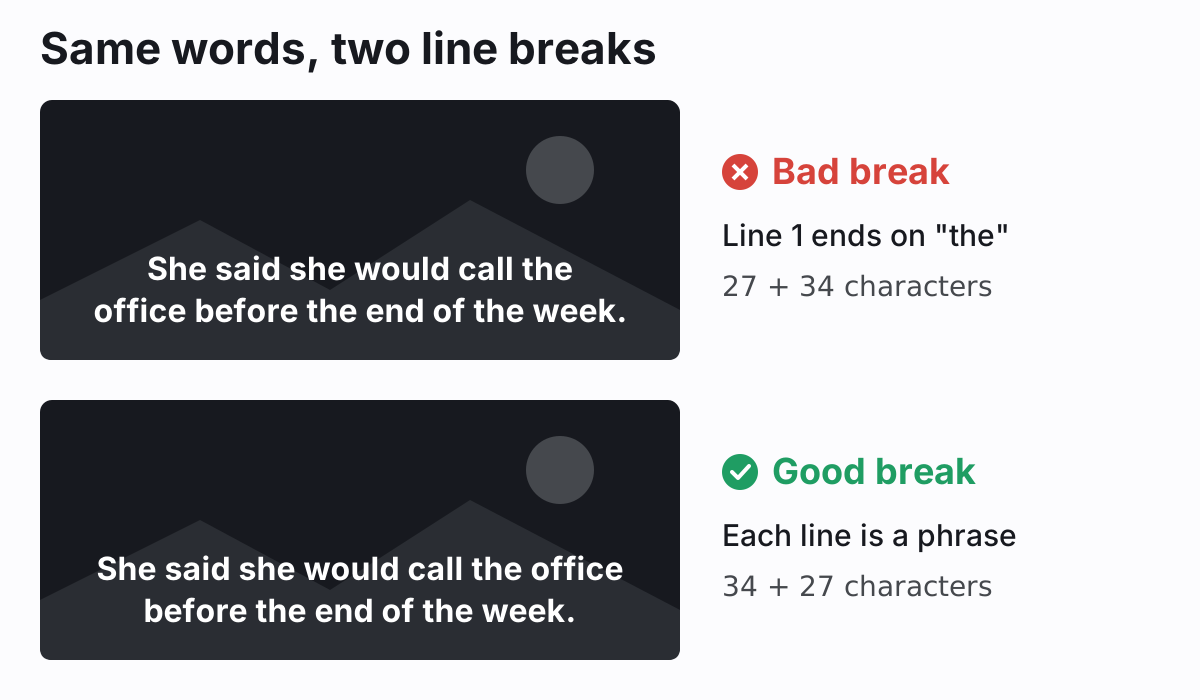
All three guides say the same thing here: break where the sentence has a natural seam.
- Netflix: break after punctuation, before conjunctions, and before prepositions.
- BBC: the best break is at punctuation. Otherwise, don't separate an article from its noun ("the + table"), a preposition from its phrase ("on + the table"), a conjunction from what follows ("but + I went"), a pronoun from its verb ("they + will come"), or the parts of a verb ("have + eaten").
- TED: keep broken lines as close in length as possible and keep "linguistic wholes" together.
The BBC adds a priority order that saves a lot of second-guessing: when you can't have good line breaks, good editing and good timing all at once, editing and timing win.
When to split into a new subtitle
Splits decide where one subtitle ends and the next begins. The same grammar rules apply, at a larger scale. The BBC's guidance:
- Aim for one complete sentence per subtitle.
- Let a long sentence run across several subtitles instead of chopping it into short sentences, and split it at a clause or phrase boundary ("When I jumped on the bus / I saw the man who had taken the basket...").
- Short sentences can share a subtitle when reading time is tight.
In practice you also split when the speaker changes or pauses, or when a subtitle would break a limit above.
Short-form vertical video plays by different rules
The BBC is the only one of the three that covers 9:16 video. The text can span 90% of the frame width, which it equates to about 25 characters, compared with 37 on landscape. It allows three lines instead of two. It sets the line height at 3.9% to 4.5% of the video height, down from 7% to 8% on landscape, so the text ends up about the same physical size on screen. It also places subtitles a little higher, since faces tend to be in the top half.
Burned-in captions on TikTok, Reels and Shorts go further. The usual look is one short line of a few words, larger and bolder than TV subtitles, often with the spoken word highlighted. That's a style choice, not a standard, and the reading-speed rules still hold. On a phone, the font and the position matter most. Our guides to the best fonts for readable captions and to placing captions clear of app buttons cover both.
How our generator applies these rules
Our free subtitle generator transcribes with word-level timestamps and then groups words into captions using the ideas above (it's the same editor as the auto caption generator on our home page). By default a caption holds up to about 42 characters and lasts at most 5 seconds. A pause longer than 0.7 seconds starts a new caption, and so does sentence-ending punctuation once the caption has a few words in it. Gaps shorter than a quarter of a second are closed so the text doesn't blink between lines. Vertical videos automatically get captions of about 22 characters that are shorter in time too. At the default size, a caption usually fits on one line.
Under Layout, Caption length re-splits the whole transcript: Punchy (18 characters), Short (28) or Standard (42), or any value from 12 to 60 on the slider. It needs a fresh transcription (not an imported file) and replaces your text edits, so do it first. Then split or merge single captions and nudge their start and end times.
What it doesn't do: it won't warn you about reading speed or enforce a minimum duration, and lines wrap automatically by width, so you can't force a line break inside one caption (split it into two captions instead). If the words and timings look off after export, our guide to fixing subtitle timing walks through the usual causes. For the wider accessibility picture, including sound labels and speaker names, see our video captioning guide.
A quick check before you export
- No line wider than about 42 characters on landscape video, or a few words on vertical video.
- No more than two lines on screen at once.
- No subtitle faster than about 20 characters per second. Look hardest at short, dense lines.
- Nothing on screen for less than about a second, or more than 7 seconds.
- No flicker: either chain subtitles back to back or leave a gap of a second or more.
- Every line break and every split falls between phrases, not inside one.