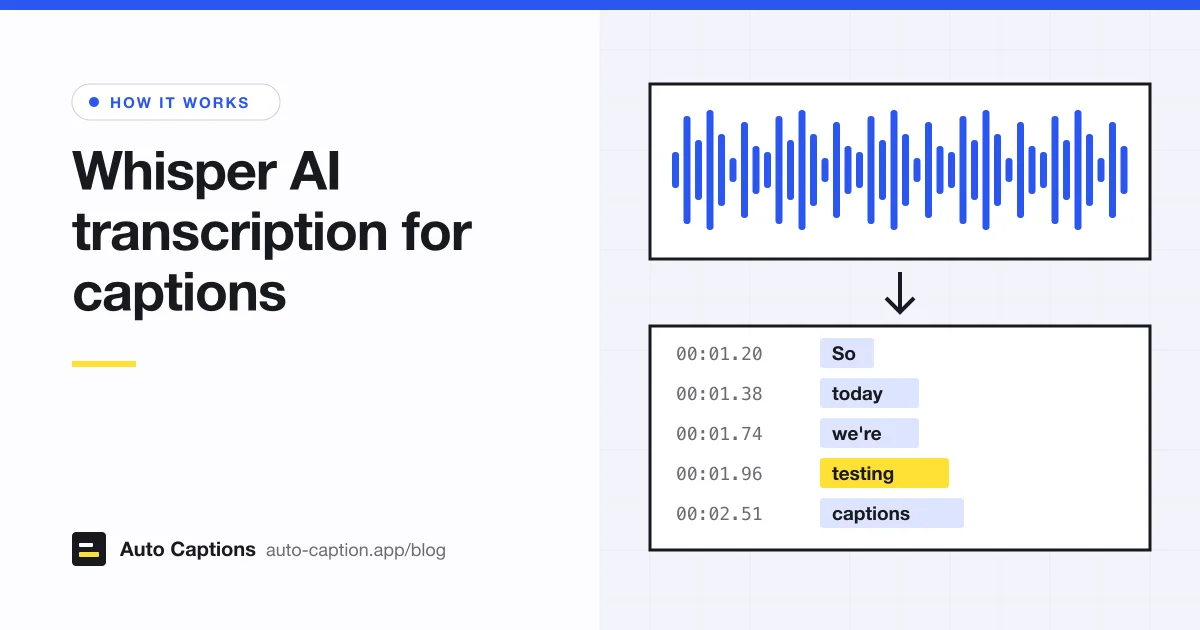
Our caption tool runs on Whisper, so every transcript you get from us starts as Whisper's output. This post explains how it works in plain terms, what the word timings are, and where to look first when you proofread.
What Whisper is
Whisper is a speech recognition model that OpenAI released in 2022 along with a paper, Robust Speech Recognition via Large-Scale Weak Supervision. It was trained on 680,000 hours of audio paired with transcripts collected from the internet. The code and model weights are public on GitHub, so anyone can build on it, and many caption tools do.
It comes in several sizes, from tiny (39 million parameters) to large (1,550 million). Bigger models are usually more accurate and slower. One model handles many languages and can identify which language is being spoken.
How Whisper turns speech into text
Whisper doesn't hear words. It looks at a picture of sound: the audio is converted into a log-Mel spectrogram, a grid of which pitches are loud at each moment. The model reads that picture 30 seconds at a time and writes out the most likely text, one small piece (a token) after another.
The second part is the part to remember. Each piece of text is a prediction based on the sound and on everything written so far. That makes Whisper good at sensible sentences, and it's also why its mistakes are sneaky. When the audio is unclear, it writes the words that would most likely come next. The result reads fine and is wrong.
Whisper large v3 turbo, and why we use it
Turbo is a lighter version of large-v3, Whisper's biggest model. According to its model card, the decoder (the half that writes text) was cut from 32 layers to 4 and then fine-tuned, bringing the model to 809 million parameters. OpenAI's GitHub page describes it as faster "with a minimal degradation in accuracy", and says turbo "is not trained for translation tasks". So it writes down what was said, in the language it was said in.
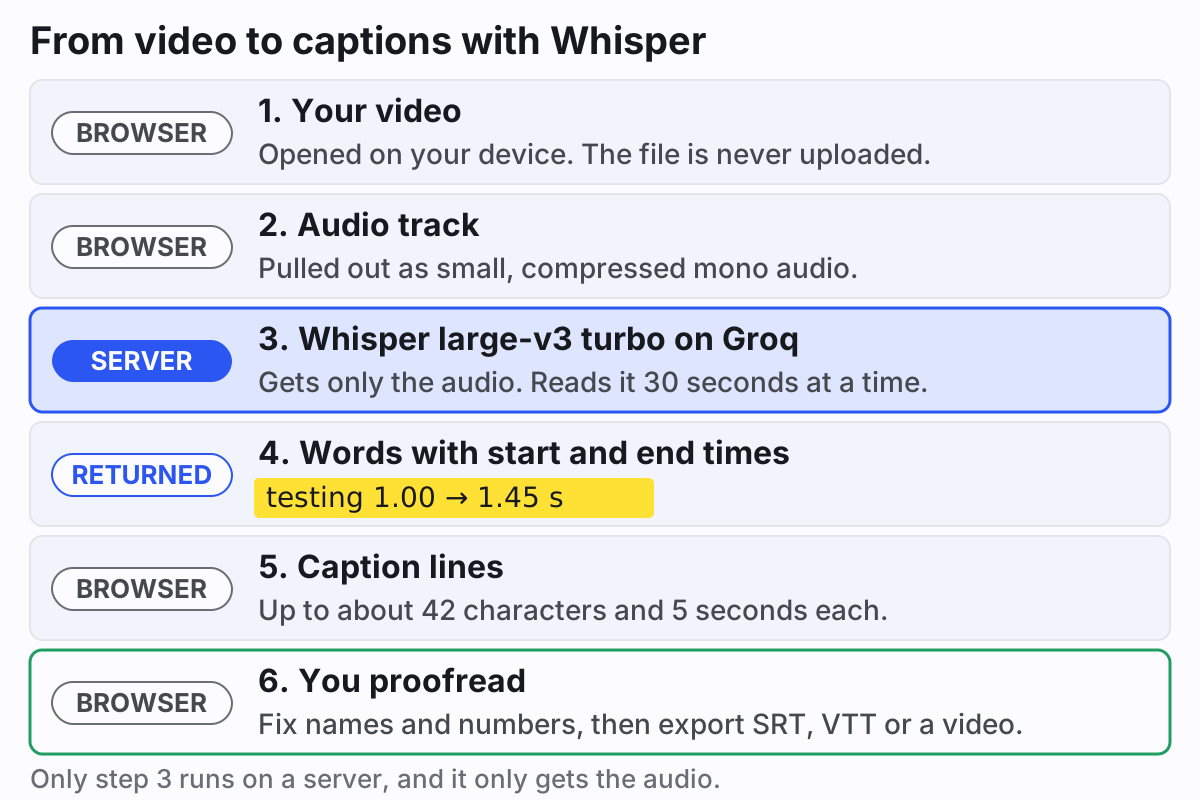
We run turbo on Groq, a hosted service that runs AI models. Here is exactly what our tool sends: the browser pulls a small, compressed mono audio track out of your video, and only that goes to Groq. Groq's docs say it downsamples audio to 16 kHz mono anyway, so nothing useful is lost. We ask for temperature 0, which makes the model pick its single most likely answer instead of sampling, and we ask for timings at both word and segment level.
What word-level timestamps are
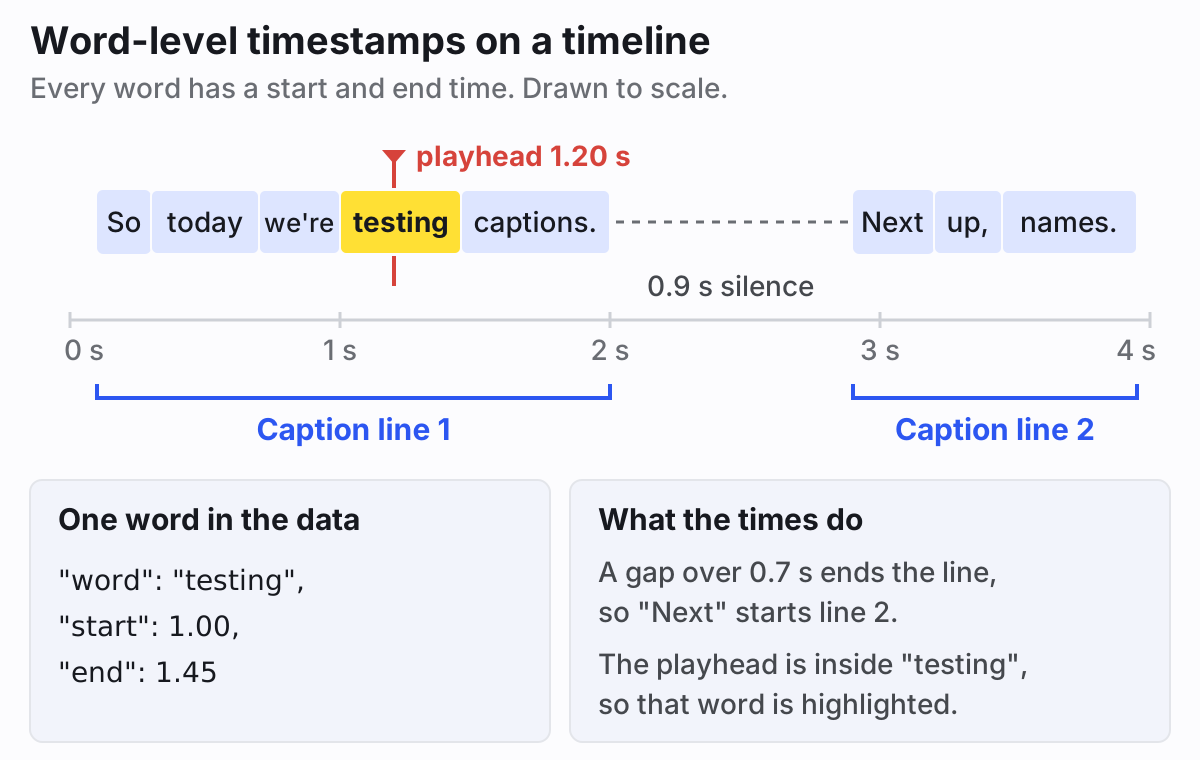
Plain transcription gives you text. For captions you need to know when each word is said. Word-level timestamps attach a start and end time, in seconds from the beginning, to every word. OpenAI's open-source code works these out from the model's attention patterns, lining up each word with the stretch of audio the model was "looking at" when it wrote it.
Those timings do three jobs in our tool:
- They decide where lines break. Words are grouped into lines of up to about 42 characters and 5 seconds (about 22 characters on vertical video), and a pause longer than 0.7 seconds (0.5 on vertical video) always starts a new line.
- They drive the highlight on the spoken word in the Karaoke, Boxed and Bold pop presets.
- They survive your edits. Fix a typo without changing the number of words and every word keeps its timing. Add or remove words and the line's time is spread across the new words by length.
Word timings aren't perfect. They can drift a little around long pauses or music. If a whole file feels early or late, that's a different problem, and our guide to fixing subtitles that are out of sync covers it.
How accurate are auto captions?
There is no honest single number. Accuracy figures come from benchmark recordings, and your video is not a benchmark. OpenAI's model card says performance varies widely by language, is worse for languages with less training data, and differs across accents and dialects. A clear voice on a good microphone in English will come out close to clean. A noisy phone recording in a less common language won't.
What is predictable is where the mistakes land.
Names and jargon
Whisper spells unfamiliar names the way they sound, or swaps in a common word. Product names, place names, usernames and field-specific
terms are the first thing to check. If you run Whisper yourself, its initial_prompt option lets you pass a list of names
to make them more likely. Our tool doesn't offer that, so fix them in the editor.
Numbers
Fifteen and fifty, "4 to 5" and "45", prices, years, model numbers. Whisper may also write a number as digits in one line and as words in the next. Check every number against what was said.
Overlapping speakers
Whisper writes one stream of text and doesn't label speakers. When two people talk at once, expect it to follow one voice and drop or blend the other. Interviews and podcasts need a careful listen at every interruption.
Music and noise
Speech under loud music gets misheard. Song lyrics might be transcribed, skipped or turned into something that sounds like them. Listen closely to any section with a music bed.
Hallucinated text in silence
The strangest one. The model card says Whisper can output text that is "not actually spoken in the audio", and OpenAI's own transcription code includes a setting to skip silent periods "when a possible hallucination is detected". In practice, look at silent intros, long pauses and the end of the video, where a line nobody said sometimes appears. The same model card notes Whisper can repeat itself, so also watch for a phrase showing up twice in a row.
How to proof captions fast
- Pick the spoken language in the menu instead of relying on auto-detect, if you know it.
- Scan the text first, without playing the video. Stop at every name, number and technical term. This pass is quick and catches most of the damaging errors.
- Jump to silent stretches, the first and last few seconds, and any part with music. Delete lines that nobody said.
- Play the parts where people interrupt each other and fix what got lost. Add speaker names if viewers need them.
- Watch the whole thing once at normal speed with the captions on. Split lines that are too long to read and merge ones that flash by. Our subtitle guidelines have the numbers for reading speed and line length.
Proofreading is also where a transcript becomes accessible captions, with speaker IDs and sound cues that no speech model adds. Our video captioning guide has the full checklist.
Try it on your own video
Open a video in our auto captions tool and you'll see Whisper's raw output line by line, with the timings already set. Fix what it got wrong, then export an SRT, a VTT or an MP4 with the captions burned in. If you only need the words, say for show notes or an article, the video to text converter gives you the transcript as plain text.